
AI CRM use cases: 12 things to ask your assistant
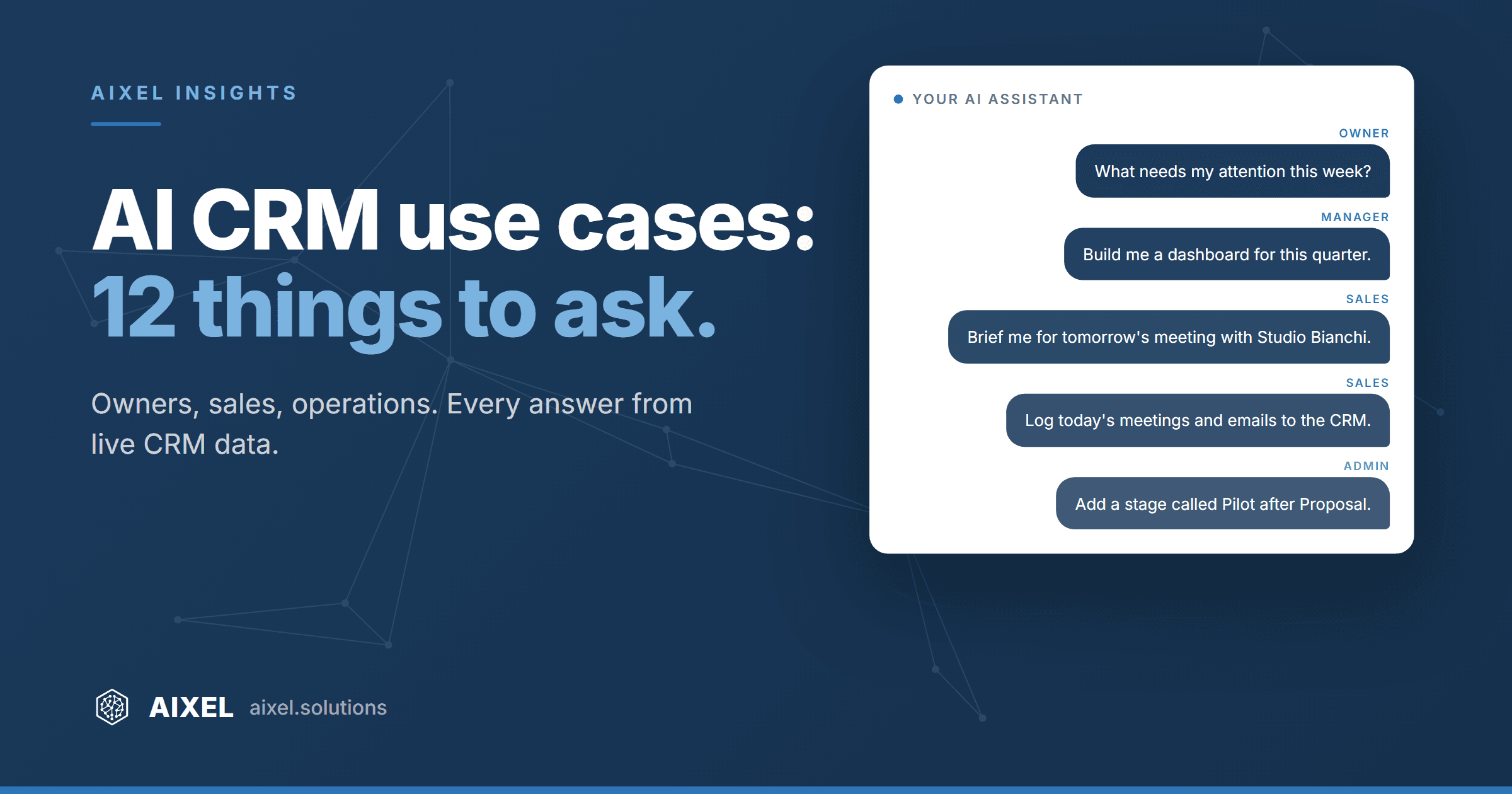
The fastest way to understand an AI-run CRM is to look at what people actually ask it.
An agentic CRM is a CRM your AI assistant can read and update on its own, with your permissions. You don't open screens and fill in fields. You ask in plain language, and the answer comes from live data. In an earlier piece we explained why this changes how a CRM gets used. This one is practical: twelve questions you can put to AIXEL CRM today, through Claude, ChatGPT or Copilot, grouped by who asks them.
Why now: sellers spend about 40% of their time actually selling, and 54% say they have already used AI agents, with nearly 9 in 10 planning to by 2027 (per Salesforce, State of Sales, 2026). At the same time, 76% of CRM users say less than half of their CRM data is accurate and complete (per Validity, 2025). The questions below are where those two numbers meet.
For owners and managers
1. "What needs my attention this week?" Stuck deals, overdue follow-ups, clients who went quiet, the meetings that matter. It replaces the half hour of clicking through views before the Monday meeting.
2. "Build me a dashboard for this quarter: pipeline by stage, won and lost, what's slipping." The assistant queries the CRM and draws the charts right in the conversation. Next week you have a different question, so you get a different dashboard. No export to Excel, no request to anyone.
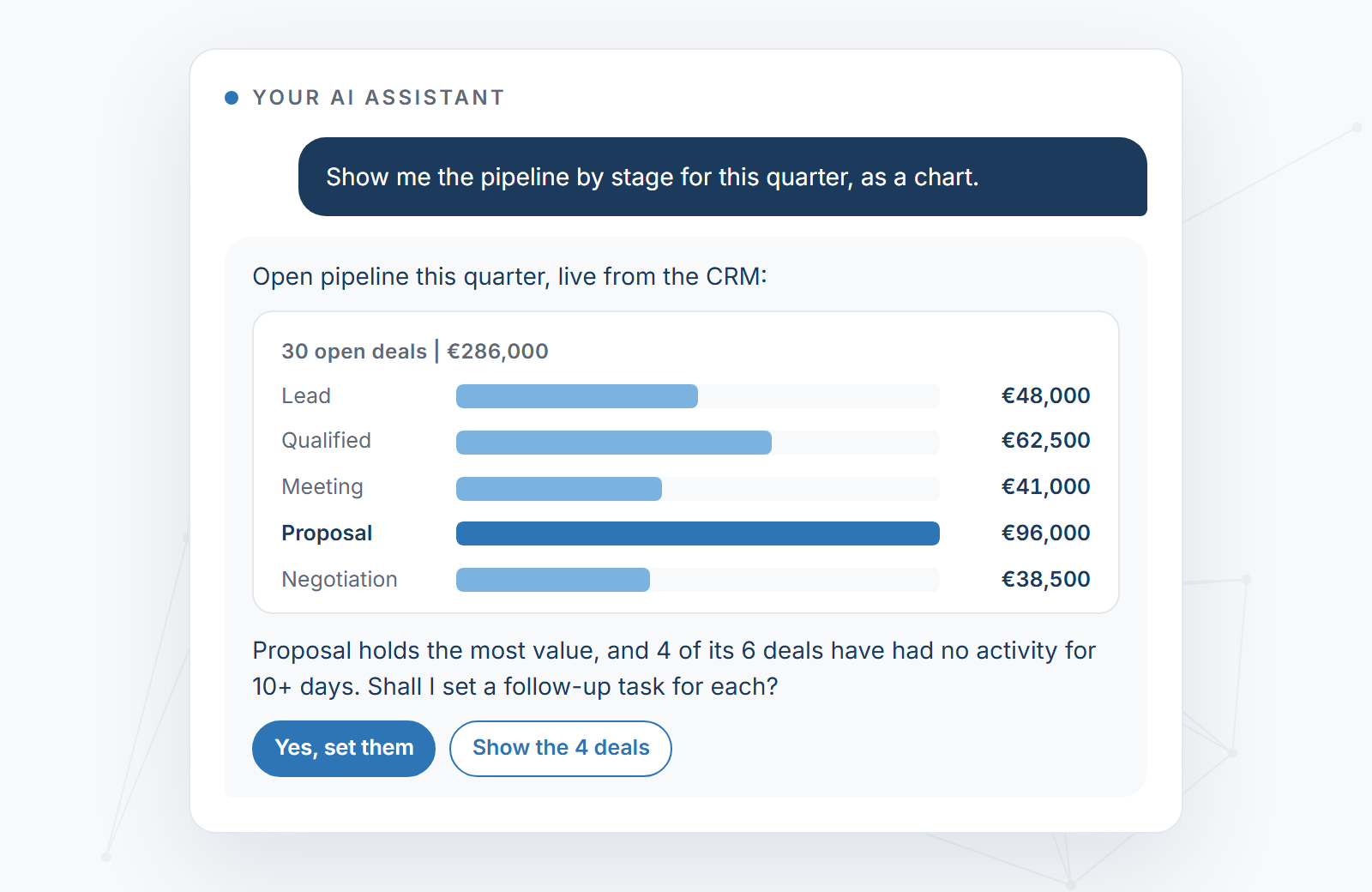
3. "What does the forecast look like if our two largest deals slip by a month?" Amounts, stages, win probabilities and expected closing dates already live in the CRM. The assistant runs the scenario and shows what changes. A planning conversation that used to need a spreadsheet model.
4. "Where are we losing deals, and why?" It reads the lost deals and the notes on them and looks for the pattern: a stage, a sector, a missing next step. Treat the answer as a strong first draft for your own judgment, not a verdict. The more current the notes, the sharper it gets.
5. "Prepare three slides for Monday's sales review." Pipeline, wins and losses, the next 30 days, built from the same live data. You edit instead of assembling.
For sales
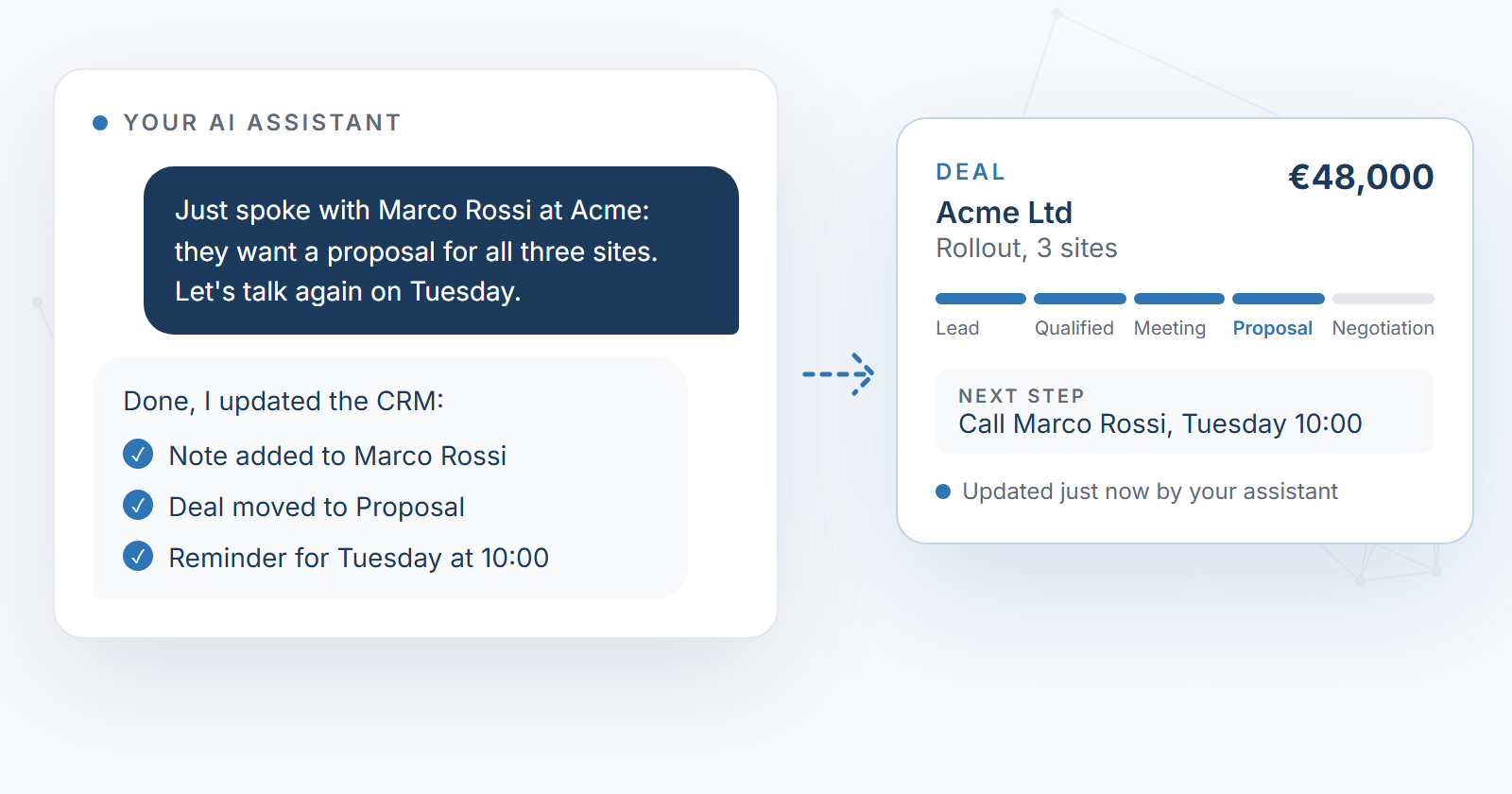
6. After a call: "Just spoke with Marco Rossi at Acme: they want a proposal for all three sites. Let's talk again on Tuesday." The note goes on the contact, the deal moves to Proposal, the reminder is set. Typed or dictated on the phone, in thirty seconds.
7. "Log today's meetings and emails to the CRM." With your calendar and mailbox connected to the same assistant, one sentence at the end of the day records who you met and what was agreed, on the right contacts. Set it up once as an evening routine and you don't even need the sentence.
8. "Brief me for tomorrow's meeting with Studio Bianchi." Company history, open deals, the last notes, what was promised and by when. Two minutes of reading instead of twenty of digging.
9. "Draft a follow-up to everyone I met last week, using the notes on each deal." The calendar says who, the CRM says what was discussed, and the drafts land in your mailbox. You read them and press send. Nothing leaves without you.
10. "Which deals have been stuck for more than two weeks? Set a follow-up for each." The list, then the tasks, in one exchange. In assistants that support it, the task list appears right inside the conversation and you tick tasks off there.
For operations and admins
11. "Add the contacts from the event list in our Drive and tag them Expo 2026." The assistant reads the file, checks who is already in the CRM, and creates the rest with the tag. Small imports stop being a project.
12. "Add a stage called Pilot after Proposal, with a 60% win probability." Admins can change stages, categories and other settings by asking, and the forecast follows the new probabilities. The CRM's setup grows with the business.
What makes the answers trustworthy
Three things, and none of them is the model.
- Current data. When updating is a sentence, people update. Every answer above is only as good as the record behind it.
- Your permissions. The assistant works with the access of the person who connected it, and only after that person approves the connection. It sees what you see.
- Your own database. Each customer gets an isolated database in the European Union, in Frankfurt. Never a shared pool.
What you need to try them
The CRM connected to your assistant: one address to paste and one approval, about two minutes. Questions 7, 9 and 11 also need your calendar, mail or Drive connected to the same assistant. Some assistants allow outside connections only on a paid plan, and we tell you before you start.
We run AIXEL's own sales on AIXEL CRM, so every question on this list works on it today.
Pick the two or three you would ask first. That is usually where your time goes now.
Claude, ChatGPT and Copilot are trademarks of their owners. AIXEL CRM works with these assistants but is not affiliated with them.
Sources
- Salesforce, State of Sales, 7th edition: survey of 4,050 sales professionals, August-September 2025 (announced 3 February 2026).
- Validity, The State of CRM Data Management in 2025: survey of 602 CRM users and stakeholders (2025).
- AIXEL Solutions, first-party: AIXEL CRM capabilities as of October 2026; AIXEL's own sales pipeline runs on AIXEL CRM.
Accurate as of October 19, 2026.